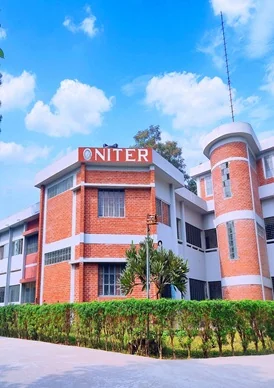
Follow this guide to complete the graduate admission form and reprint a submitted copy. Use a modern browser with JavaScript enabled.
1. Introduction
This manual lists every data item you must enter on the NITER graduate admission form at the graduate admission page and how to reprint a submitted copy from Print Form. Use a modern browser (Chrome, Firefox or Edge) with JavaScript enabled, a stable internet connection, and a PC or laptop.
2. General Instructions
- All fields marked with a red asterisk (*) are mandatory.
- Enter names, NID, dates and academic results exactly as shown on your certificates.
- Photo: 300×300 pixels, maximum 200 KB, JPG or PNG. Signatures: 300×80 pixels, maximum 120 KB, JPG or PNG.
- Complete the form in one session. Partial entries are not saved until you submit.
- Select District first so Upazila / P.S. options can load.
- The Reset button clears all fields without confirmation; use with caution.
- Admission not started? Check https://niter.edu.bd/notice.
3. Accessing the Forms
3.1 Graduate Admission Form
- Open /public/graduate/admission/form/.
- If admission is closed, the page will say so. Check the notice board for dates.
3.2 Reprint Form
- Open Print Form → Graduate Admission.
- Keep your session, student mobile number and date of birth ready.
4. Data to enter on the Graduate Admission form
4.1 Program
- Program Name *: Select the graduate program you were selected for (e.g., M.Sc. in Textile Engineering or MBA in Textile & Apparel Value Chain).
- Session: Locked to the active session. You cannot change it.
4.2 Student's Information
- Student's Name (Block Letter) *: English, all capitals (e.g., MD RAHIM KHAN).
- Student's Name (Bengali Script) *: Bengali spelling as on NID (e.g., মো. রহিম খান).
- Father's Name (Block Letter) *: English (e.g., MOHAMMED ABDUL KARIM).
- Father's Name (Bengali Script) *: Bengali (e.g., মোহাম্মদ আব্দুল করিম).
- Mother's Name (Block Letter) *: English (e.g., FATEMA BEGUM).
- Mother's Name (Bengali Script) *: Bengali (e.g., ফাতেমা বেগম).
- Date of Birth *: Use the date picker. This same date is used later for reprint.
- Blood Group *: Select from the dropdown (e.g., A+).
- NID / BCN *: National ID or Birth Certificate Number.
- Gender *: Male or Female.
- Nationality *: Default is Bangladeshi.
- Religion *: Select from the dropdown (e.g., Islam).
- Student Mobile No *: Active number (e.g., 01XXXXXXXXX). Needed for reprint.
- Father / Mother Mobile No *: Parent’s active number.
- Student Email: Optional, but recommended for ERP login details.
- Student Photo *: Color passport photo, 300×300 pixels, maximum 200 KB, JPG or PNG.
4.3 Address Information
Fill both Present Address and Permanent Address. For each address enter:
- House / Flat / Road / Village *: Full location (e.g., House 12, Flat 3B, Green Park Road).
- P.O. *: Post office name or code.
- District *: Select first so Upazila options load.
- Upazila / P.S. *: Select after District.
4.4 Academic Qualifications
At least three rows are required: SSC / Equivalent, HSC / Equivalent, and Bachelor (or equivalent). Use Add to enter extra degrees. For each row enter:
- Degree Name *: e.g., SSC/Equivalent, HSC/Equivalent, B.Sc. in Textile Engineering.
- Group / Subject *: e.g., Science, Textile Engineering.
- School / College / University *: Institution name as on the transcript.
- Board *: Education board or university (e.g., Dhaka, DU).
- Roll No *: Exam roll number.
- Passing Year *: e.g., 2018.
- Result *: GPA or CGPA (e.g., 3.75).
4.5 Work Experience (Optional)
Leave blank if you have none. Otherwise enter:
- Company Name, Job Title, Start Date, End Date / Ongoing, Duration.
- Use Add to enter more than one job. Use Delete to remove a row.
4.6 Guardian's Information
- Guardian's Name *: Full name (e.g., Mohammed Abdul Karim).
- NID No *: Guardian’s National ID.
- Relation *: e.g., Father, Mother, Uncle.
- E-mail: Optional.
- Occupation *: e.g., Businessman, Teacher.
- Mobile No *: Active number.
- District *, Upazila / P.S. *, P.O. *, House / Flat / Road / Village *: Guardian’s address. Select District first.
4.7 Guardian in Place of Father / Mother
Fill the same set of fields for the local / alternative guardian: Name, NID, Relation, Email (optional), Occupation, Mobile, District, Upazila, P.O., House / Flat / Road / Village. All starred fields are required.
4.8 Terms, documents and signatures
- Read the terms, then tick I have read and agree to the Terms and Conditions.
- Student's Signature *: 300×80 pixels, maximum 120 KB, JPG or PNG.
- Guardian's Signature *: Same size and format.
Documents to submit (hard copies as instructed by the office):
- Photocopy of Bachelor’s degree transcript (1 copy).
- Parents’ monthly income certificate.
- Freedom fighter / tribal certificate, if applicable.
- Two passport-size color photographs.
- Photocopy of NID or birth certificate.
5. Submitting the form
- Review every field, especially name, mobile, date of birth and academic results.
- Click Submit and confirm the popup.
- Wait for processing (bill creation, credentials and file checks can take about 15 seconds).
- Success: you are taken to the print page to preview, download or print the submitted form.
- Failure: correct the highlighted fields and submit again.
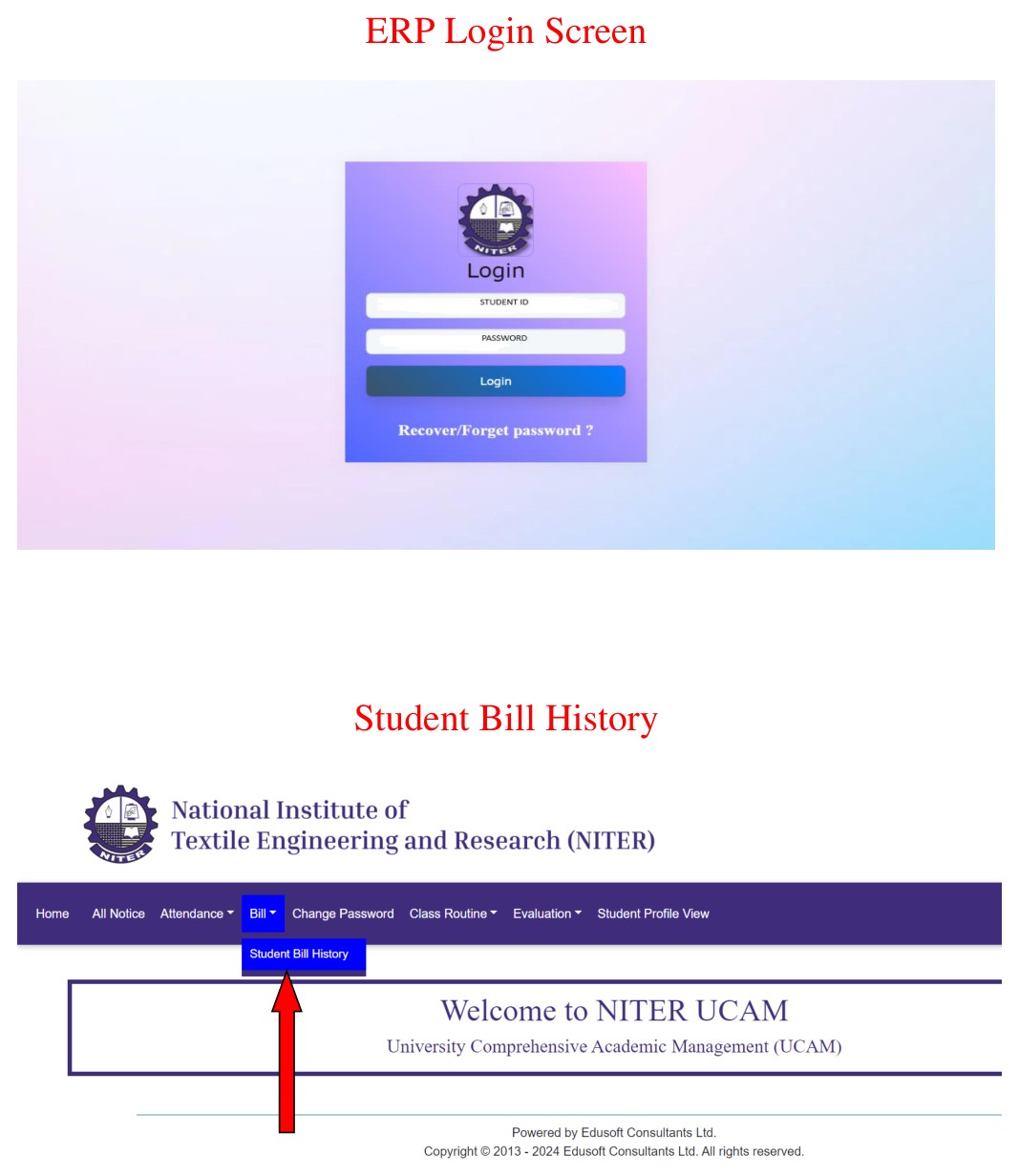
- You will receive an email with a temporary student ID, password and ERP login URL for payment.
6. Online Payment
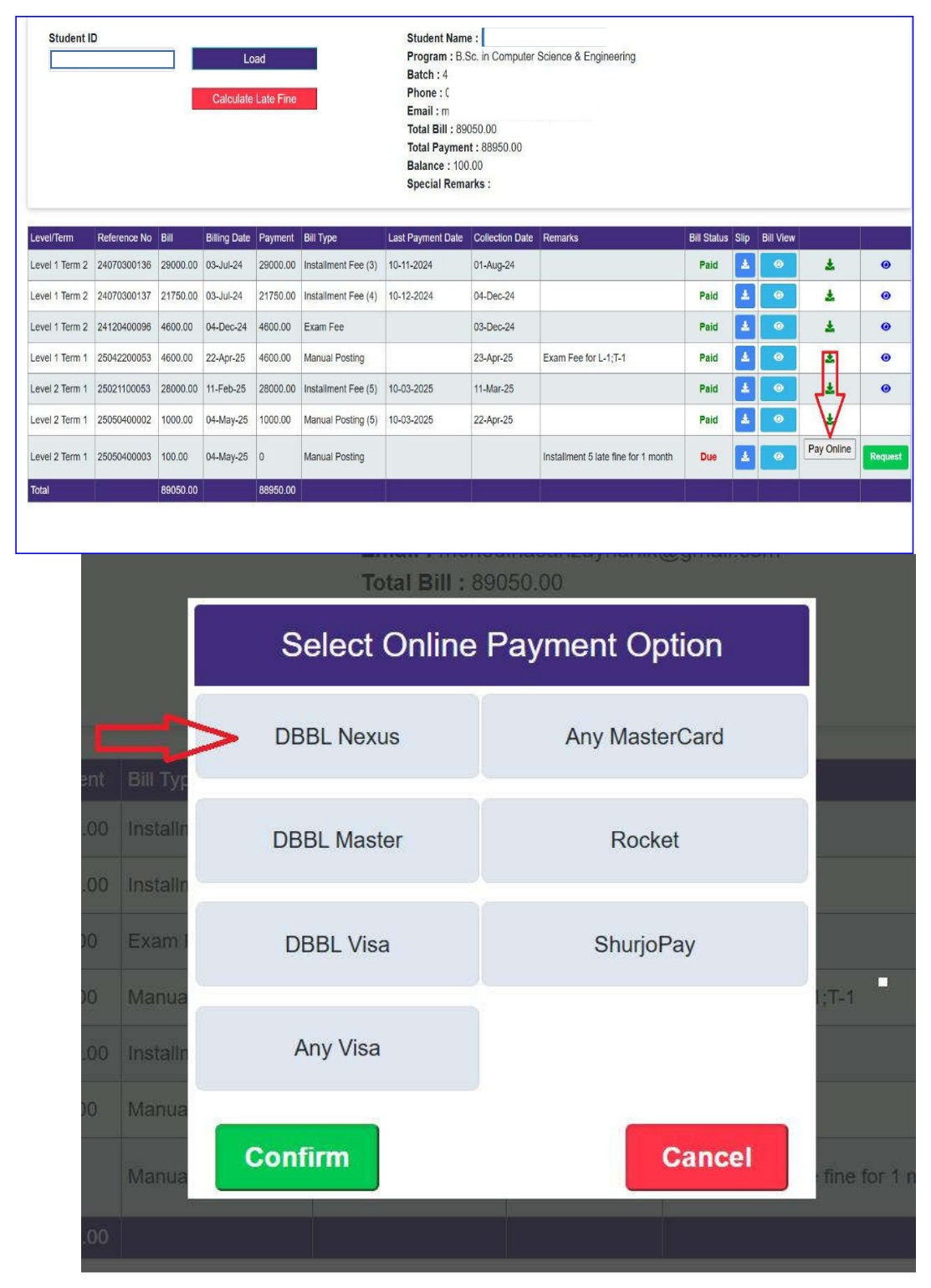
Use the ERP details from the email. Also see How to Pay.
- Open the ERP login URL from the email and enter the temporary student ID and password.
- Complete the admission fee payment inside ERP.
- Finish payment within the deadline published on https://niter.edu.bd/notice.
Payment process screenshots:
7. Reprint Graduate Admission
Open Print Form → Graduate Admission.
7.1 Data to enter
- Session *: The session used when you submitted.
- Student Mobile No *: The same mobile number entered on the admission form.
- Date of Birth *: The same date entered on the admission form.
7.2 Submission
- Fill the three fields and click Verify and Reprint.
- Success opens the submitted form for view, download or print.
- If there is no match, check session, mobile and date of birth, then try again.
8. Troubleshooting
- Image errors: Photo 300×300 / 200 KB; signatures 300×80 / 120 KB; JPG or PNG.
- Upazila empty: Select District first.
- Academic rows: Keep at least SSC, HSC and Bachelor. Do not delete the required rows.
- Reprint: Session, mobile and date of birth must match the submitted form exactly.
- Email: Check spam, or call +8801766672362.
9. Contact Information
Office hours 8:00 AM to 4:00 PM, Sunday to Thursday:
- Address: NITER, Nayarhat, Savar, Dhaka, Bangladesh
- Phone: +8801766672362 (MD Jahangir Alam, IT Department)
- Website: https://niter.edu.bd
- Notice Board: https://niter.edu.bd/notice