Notice:
 
Welcome to NITER Admission Portal

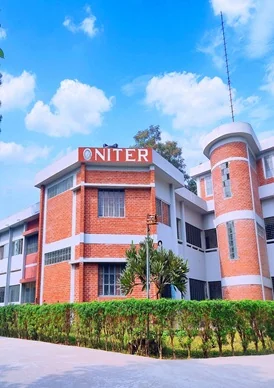
National Institute of Textile Engineering and Research (NITER)

A constituent institute of the University of Dhaka
registraroffice@niter.edu.bd
ManualGraduate Application
InstituteNITER

Use this guide for the graduate application form and how-to-pay instructions. Download the PDF when it is available, or open the program guidelines below.

1. Introduction

This manual lists every data item you must enter on the NITER graduate application form at the application form page. After submit you can reprint the copy from Print Form → Application Copy. Pay the application fee by Rocket before you submit. See How to Pay.

2. General Instructions
  • All fields marked with a red asterisk (*) are mandatory.
  • Enter names, NID and academic results exactly as on your documents.
  • Photo: color JPG or PNG, maximum 2 MB. Signature: JPG or PNG, maximum 1 MB.
  • Education document: PDF or image, maximum 5 MB. Experience PDF is optional, maximum 5 MB.
  • Pay by Rocket first, then enter the transaction number on the form.
  • After Submit, a preview opens. Use Back to edit — your data stays filled. Confirm only when the preview is correct.
  • The Reset button clears all fields without confirmation.
3. Accessing the Forms
3.1 Application Form
  1. Open /public/application/form/.
  2. If the period is closed, the page will say Application Not Available.
3.2 Reprint Form
  1. Open Print Form → Application Copy.
  2. Keep your session, NID number and mobile number ready.
4. Data to enter on the Graduate Application form
4.1 Program
  • Program Name *: Select the graduate program (e.g., M.Sc. in Textile Engineering or MBA in Textile & Apparel Value Chain).
  • Program Type: Locked as Graduate Program.
  • Session: Locked to the active session.
  • Batch No: Optional, if you know it.
  • Application Date: Optional. You may leave it blank.
4.2 Applicant's Information
  • Applicant's Name (English) *: As on NID (e.g., Md Rahim Khan).
  • Applicant's Name (Bangla): Optional (e.g., মো. রহিম খান).
  • Father's Name *: e.g., Mohammed Abdul Karim.
  • Mother's Name *: e.g., Fatema Begum.
  • Date of Birth *: Use the date picker.
  • Gender *: Select from the dropdown.
  • Religion: Optional.
  • NID No: Strongly recommended. The same NID is used to reprint the application.
  • Mobile No *: Active number (e.g., 017XXXXXXXX). Needed for reprint.
  • Email: Optional, recommended.
  • Blood Group: Optional.
  • Civil Status: Optional (e.g., Single, Married).
  • Occupation: Optional (e.g., Student, Service).
  • Applicant Photo *: Color JPG or PNG, maximum 2 MB.
  • Applicant Signature *: JPG or PNG, maximum 1 MB.
4.3 Address Information

Fill Present Address first, then Permanent Address. For each address enter:

  • Address *: House, road, village or area.
  • P.O. *: Post office.
  • District *: District name.
  • Upazila / P.S. *: Upazila or police station.
4.4 Academic Qualifications

Enter SSC, HSC and Bachelor (or equivalent). Use Add for extra degrees. For each row:

  • Degree Name *: e.g., SSC, HSC, B.Sc. in Textile Engineering.
  • Group / Subject: Optional (e.g., Science).
  • School / College *: Institution name as on the transcript.
  • Board: Optional (e.g., Dhaka).
  • Roll No: Optional exam roll.
  • Passing Year *: e.g., 2018.
  • Result *: GPA or CGPA (e.g., 3.75).
4.5 Professional Qualifications (Optional)
  • Qualification Name, Institution Name, Number of Years.
  • Leave blank if you have none. Use Add for extra rows.
4.6 Work Experience (Optional)
  • Company Name, Job Title, Start Date, End Date, Currently Working, Duration.
  • Tick Currently Working if the job is ongoing. Use Add for extra jobs.
4.7 Reference Information

Two references are expected. For each reference enter:

  • Name *: Referee’s full name.
  • Position / Designation: Optional (e.g., Associate Professor).
  • Organization: Optional (e.g., NITER).
  • Email: Optional.
  • Telephone / Fax: Optional.
  • Relationship *: How you know the referee (e.g., Teacher, Supervisor).
  • Mailing Address: Optional.
4.8 Attachments
  • Education Document *: Certificates and transcripts in one PDF or image, maximum 5 MB.
  • Experience Document: Optional PDF of experience letters, maximum 5 MB.
4.9 Additional Information
  • Scholarship / Prize / Award: Optional free-text (names and years of awards).
4.10 Payment Information
  • Pay from the Rocket app: BILL PAY → search NITER or enter Bill ID 5453 → select NITER (Old).
  • Payment Transaction No *: Enter the Rocket transaction number from the payment SMS.
  • Full screenshots: How to Pay.
5. Preview and Submit
  1. Click Submit. A preview of all entered data opens.
  2. Check names, NID, mobile, program, academics, references and transaction number.
  3. Back to edit returns to the form with your data still filled.
  4. Confirm & Submit sends the application.
  5. Success opens the print copy. Failure shows the field that must be corrected (e.g., Reference 1 Name).
6. Reprint Application Copy

Open Print Form → Application Copy.

  • Session *: The session used when you applied.
  • NID No *: The NID entered on the application.
  • Mobile Number *: The same mobile number.
  1. Click Verify and Reprint.
  2. If there is no match, the three values must match the submitted form exactly.
7. Program guidelines

MBA in Textile and Apparel Value Chain

Admission Announcement Open PDF
Admission Guideline Open PDF

Master of Science (MSc) in Textile Engineering

Admission Announcement Open PDF
Admission Guideline Open PDF
8. Troubleshooting
  • Photo / signature: JPG or PNG; photo max 2 MB; signature max 1 MB.
  • Education file: PDF or image, max 5 MB.
  • Reference 1 Name required: Enter a name on both reference rows before confirm.
  • Payment: Transaction number must match the Rocket SMS.
  • Reprint: Session, NID and mobile must match the submitted application.
9. Contact Information

Office hours 8:00 AM to 4:00 PM, Sunday to Thursday: