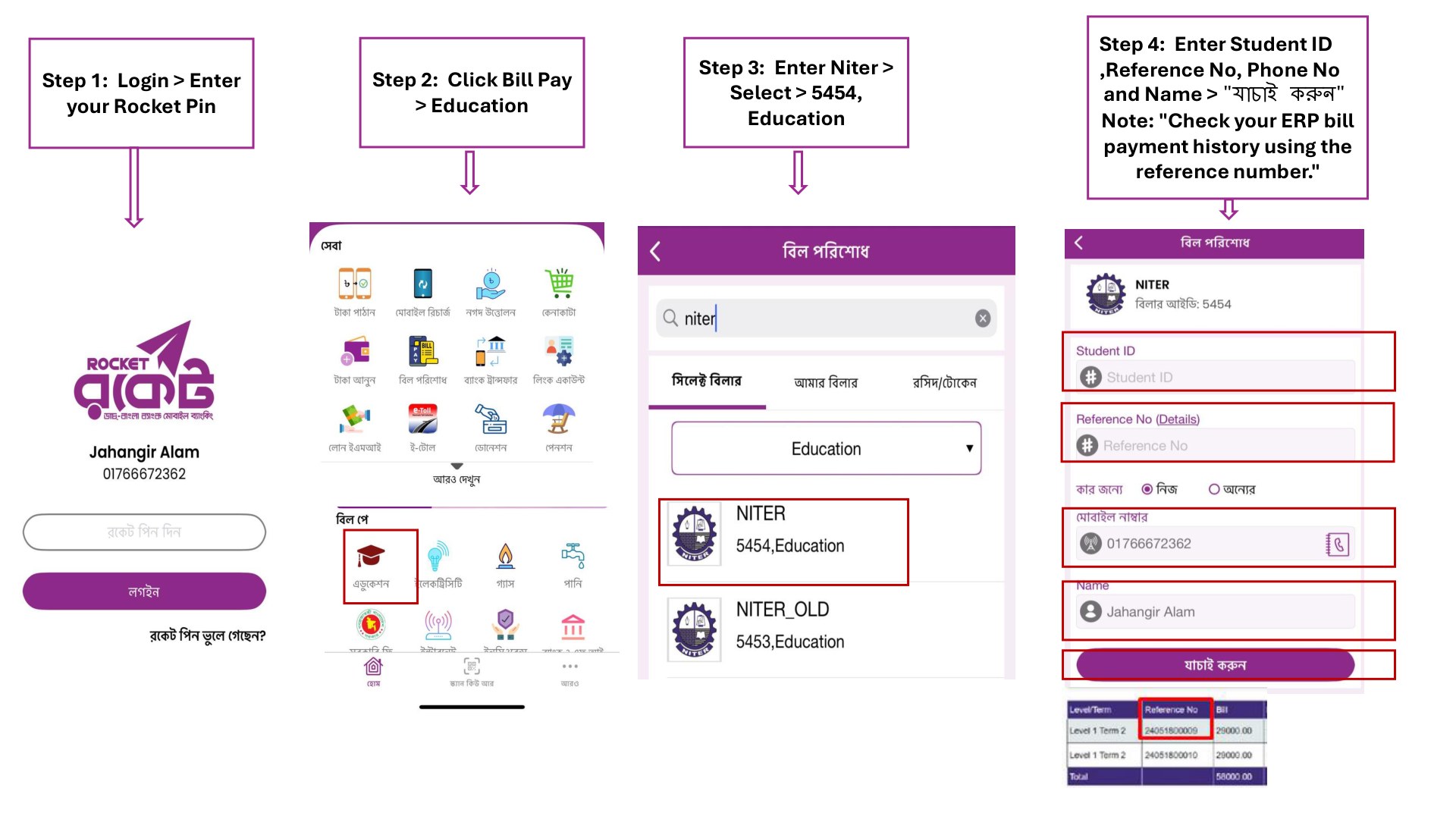
Payment typeAdmission Fee (ERP)
InstituteNITER
After you submit an undergraduate or graduate admission form, pay the admission fee from the ERP using the login details sent to your email.
-
1
Submit the admission form
Complete the undergraduate or graduate admission form first. Payment starts only after a successful submission.
-
2
Check your email
You will receive a temporary student ID, password, and the ERP login URL. Also check the spam or junk folder.
-
3
Sign in to the ERP
Open the login URL from the email and enter the temporary student ID and password.
-
4
Pay the admission bill
Follow the on-screen bill payment steps in the ERP. Keep a copy of the payment confirmation.
-
5
Pay within the deadline
Use the deadline in the email or on the NITER notice board.
Payment process screenshots